Meet the Welkin AI Assistant: Clinical Intelligence Inside Every Patient Record
by Welkin Health| Sep 30, 2026
Before a call, a care manager might open five tabs to answer one question: When was her last PHQ-9? Is her medication review overdue? What happened at the last three encounters? That information is already in the record. It just takes too long to find. The Welkin AI Assistant fixes that. It’s an AI assistant in the patient record that answers questions about the patient you’re looking at in seconds, and it can take the next step for you.
Why care teams need an AI assistant in the patient record
Care teams don’t lack data. They lack the time to find it. A study published in the Annals of Family Medicine found that primary care physicians spent nearly six hours of an 11.4-hour workday in the EHR, with close to half of that time going to clerical and administrative work. Every minute spent hunting through tabs is a minute not spent with patients.
Care managers, nurses, and coordinators feel the same pressure. They manage large panels, follow-ups, and program requirements, and often have only a few minutes to prepare before each outreach. An assistant that already understands the patient in front of you turns that prep time into seconds, so your team can focus on the conversation instead of the clicks.
One click away, on every view
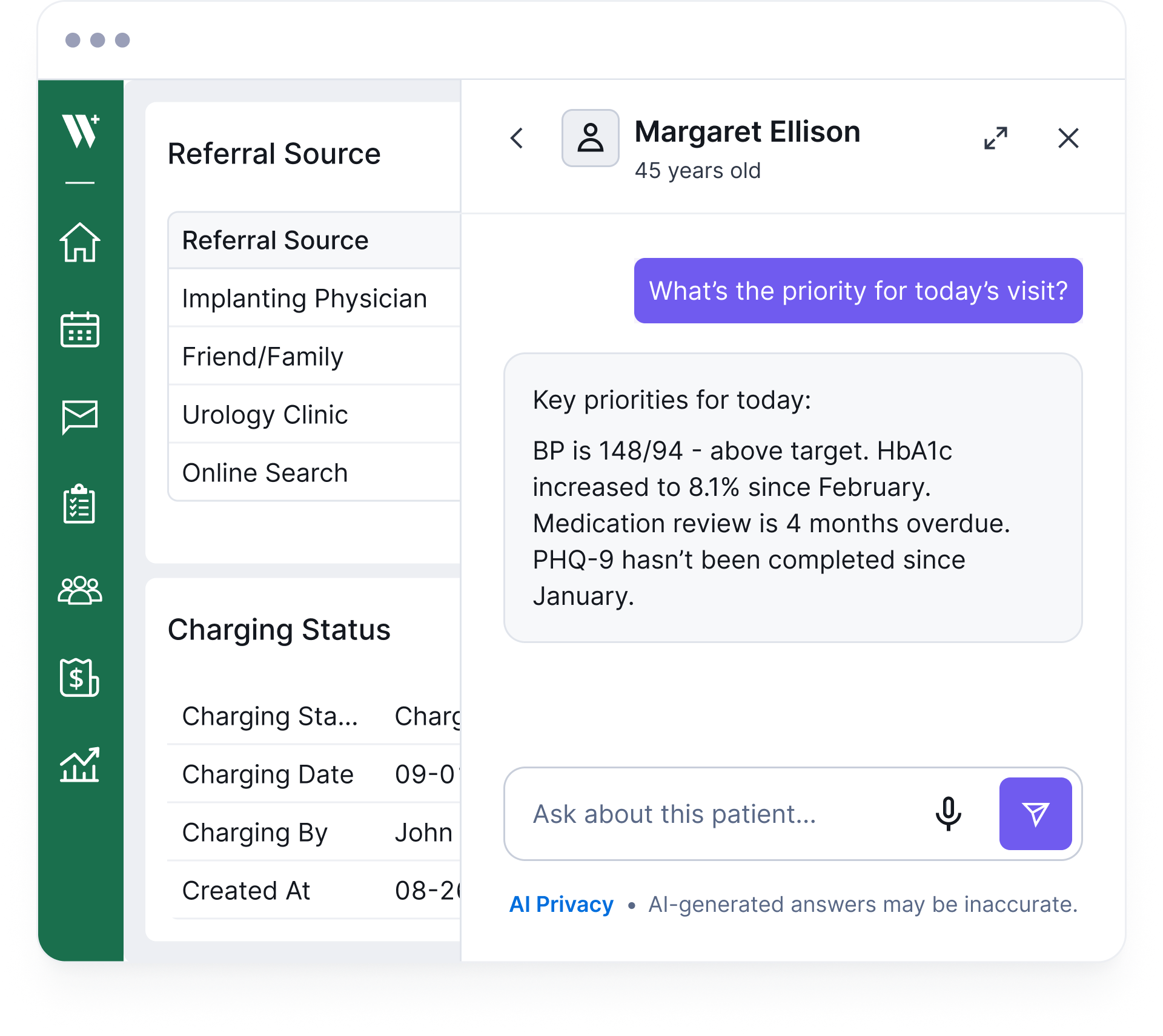
The AI Assistant button appears on every view inside an open patient record in the Care Portal, including the profile, encounters, assessments, and tasks. Click it and a drawer slides in from the side while your current page stays open underneath. Ask your question, get your answer, and close it when you’re done.
Scoped to the patient: The assistant only appears inside a patient record, so it’s always answering about the right person.
Doesn’t interrupt your work: The side drawer leaves your current view untouched.
Remembers the conversation: History is kept for the session, so you can ask follow-up questions.
Works by voice: Tap the mic and speak when your hands are busy.
Answers grounded in the full patient record
The moment you open the assistant, it already knows who you’re looking at. It pulls from the patient’s structured record, including CDTs, assessments, encounters, program enrollment, and care team data. Then it answers your question against all of it. You don’t need special syntax or filters. Just ask in plain language.
It works with the same data your team already documents. If you’ve set up Data Views to organize vitals, labs, and assessments by role, the AI Assistant draws on that same structured data.
From insight to action without leaving the chat
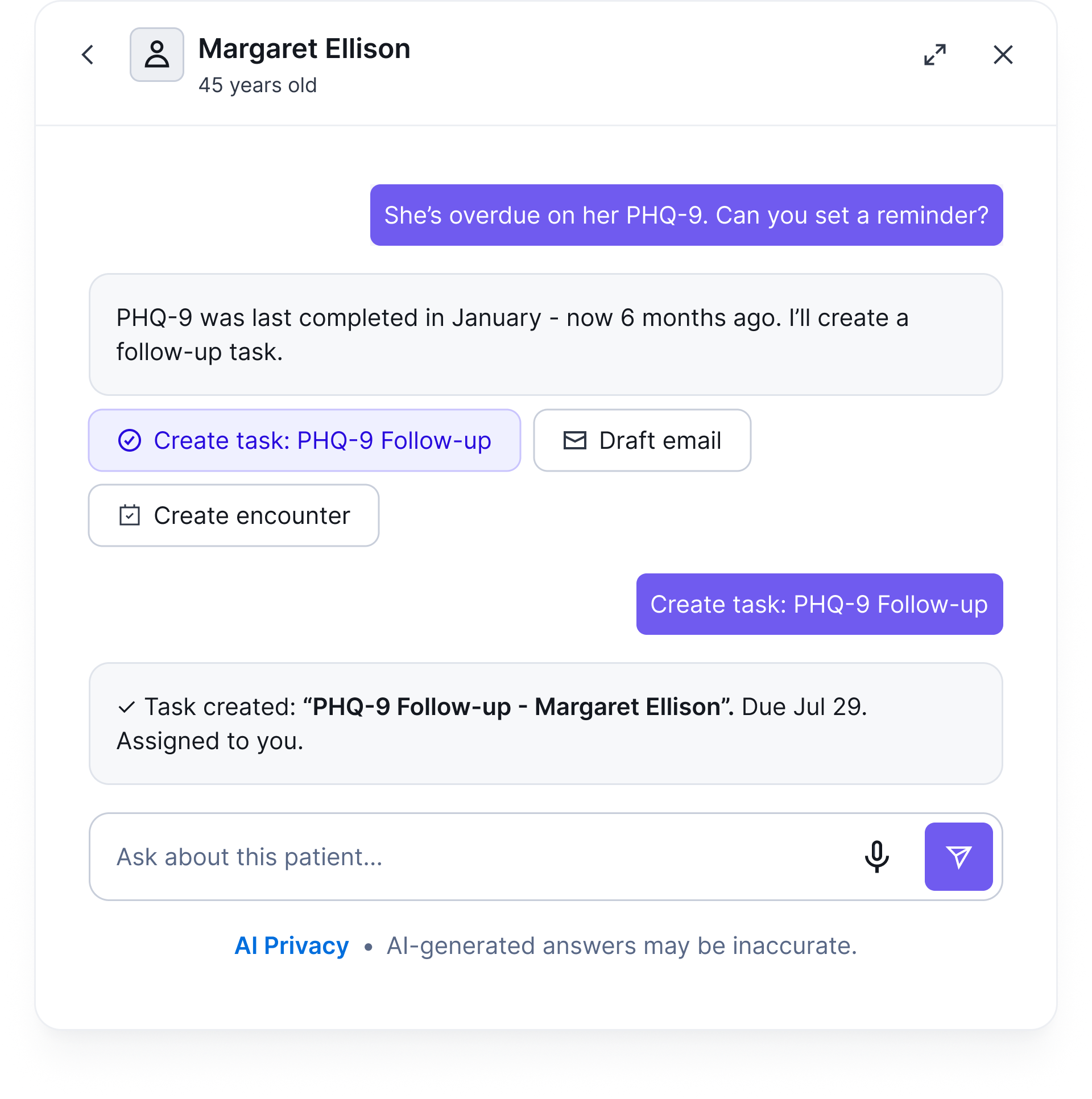
The AI Assistant doesn’t stop at answers. When it finds something that needs to happen, it suggests the next step and can do it for you, all within the same chat. It can:
Create a task
Start an encounter
Send a message
Say a patient is overdue on her PHQ-9. Ask the assistant to set a reminder. It confirms when the assessment was last completed, offers to create a follow-up task, and creates it with one click. If an action fails, the AI sees what went wrong and retries with the right parameters, so you don’t have to troubleshoot.
From visit transcript to structured assessment
If you’ve recorded a visit and have a transcript, attach or paste it into the chat. Then ask the AI to fill in the relevant assessment. It reads the conversation, identifies assessment-relevant answers, and helps fill in the right fields. A conversation becomes structured clinical data without anyone re-typing it.
What care teams ask most
The AI Assistant handles quick lookups as well as clinical decision support. Here are the questions care teams ask most often:
Medication review: “Is she due for a medication review? Any known interactions with lisinopril?”
Visit preparation: “What should I focus on for today’s visit?”
Trend analysis: “How has her blood pressure trended over the last 6 months?”
Care gaps: “What’s overdue for this patient?”
Document analysis: “What does the referral letter say about her diagnosis and recommended next steps?”
Transcript to assessment: “Here’s the transcript from today’s visit. Can you fill in the PHQ-9?”
How the AI assistant in the patient record works
Getting an answer takes four steps, and none of them require training or new tools:
Open a patient: Navigate to any patient record in the Care Portal.
Click the AI Assistant button: The drawer opens with that patient’s context already loaded.
Type or speak your question: Use plain language, or tap the mic for voice input.
Get your answer and act on it: Review the response, then approve any suggested task, encounter, or message.
Because every action happens inside the record, the assistant fits into the workflows your team already runs, from patient encounters to care coordination across internal and external team members. It complements automated care delivery by handling the judgment calls and one-off questions that rules alone can’t anticipate.
Patient data stays where it belongs
Healthcare organizations need AI they can trust with protected health information. The HIPAA Security Rule requires safeguards for the confidentiality, integrity, and availability of electronic health information. The AI Assistant is built with that in mind:
Role-scoped access: Every query follows the user’s existing Care Portal permissions. If someone can’t see a field in the record, the AI can’t reference it either.
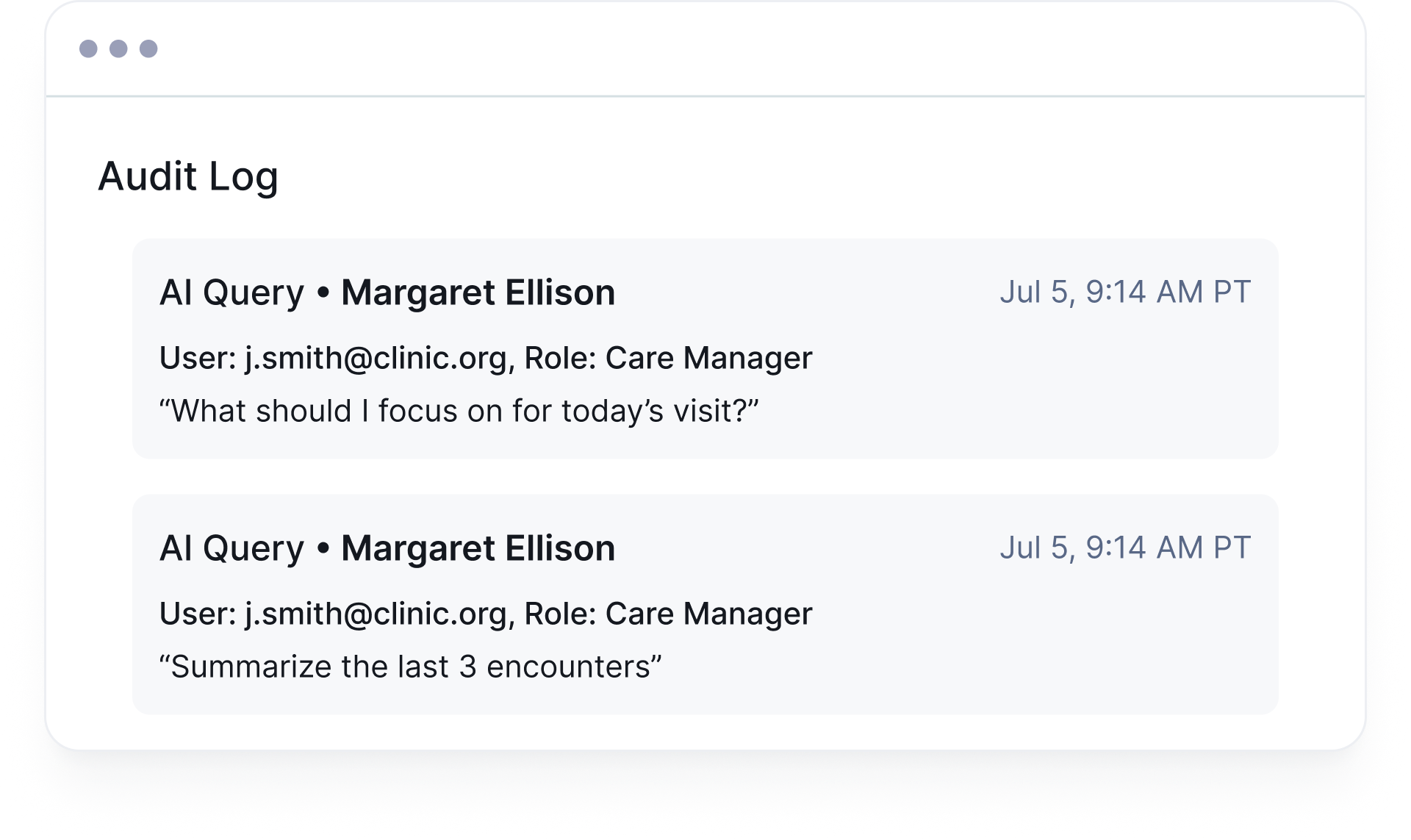
Full audit trail: Every AI interaction is logged and searchable. Each entry is timestamped and tied to the user and patient.
HIPAA-compliant infrastructure: The AI Assistant runs on HIPAA-compliant infrastructure.
No model training on your data: Patient data is never used to train models.
Bring your own API key: Organizations can connect their own LLM API key at the org level. That keeps AI usage under your own account, billing, and data agreements.
The AI Assistant gives your care team answers in seconds and a faster way to act on them, without leaving the patient record. Learn more about the AI Assistant, or book a demo to see it work on a real patient workflow.
Ask five people on a care team what they need to see on a patient's profile, and you'll get five different answers. A nurse wants the latest vitals and medication list front and center. A behavioral health...Read More >
Healthcare information technology has played a major role in the advancement of healthcare in recent years. The Health Information Technology for Economic and Clinical Health (HITECH) Act of 2009 helped to transform healthcare facilities and modernize health...Read More >
Healthcare providers and care teams who know their patients well have long known that health equity challenges exist. The healthcare industry is catching up, and new programs, opportunities, and financing models are all focusing on health equity....Read More >
Sign up to receive Welkin updates, delivered straight to your inbox